
Stop Guessing. Visualize Your Database Schema Instantly

Every developer knows the feeling of joining a new project and opening a database that looks more like a maze than a system. You just need to fix a checkout bug or add a feature, but instead, you find yourself scrolling through hundreds of tables, years of migrations, and almost no documentation.
What should be a quick start turns into a slow, manual investigation. You run commands like DESCRIBE users; and DESCRIBE orders;, sketch out tables on a whiteboard, and slowly trace how everything connects. By the time the schema finally makes sense, the excitement from wanting to build something has faded.
That’s the problem we set out to solve with WhoDB’s interactive schema visualizer- a faster, clearer way to understand your database structure without the guesswork.
A Fresh Approach: An Instant, Interactive Map
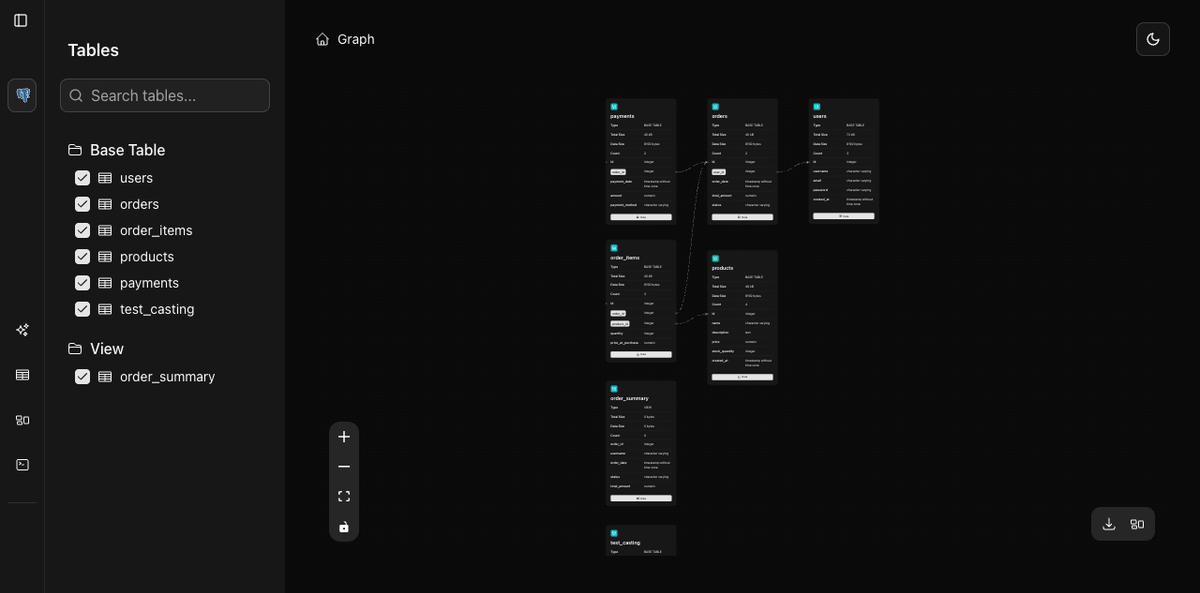
Instead of manually piecing together relationships, WhoDB gives you an interactive map of your database the moment you connect.
No outdated ERDs. No messy exports. Just a real-time, explorable view of your schema.
Here’s how it works:
- Connect your database: WhoDB automatically parses tables, primary keys, and relationships.
- Visualize instantly: See your schema as a dynamic graph, not a static image.
- Explore freely: Zoom, drag, and click through relationships in real time.
Each table appears as a node, each relationship as a clear connection. You can move tables around, zoom in for details, and immediately understand how everything fits together even in the most complex systems.
Your Data, Clearly Explained
Interactivity is what makes this tool powerful. Click on a table like orders, and WhoDB highlights its relationships with users, line_items, and others. Need to see how users connect to tags? WhoDB traces the shortest path of joins automatically.
Searching for references is just as easy. Type a column name like product_id and every related table highlights instantly. It’s an effortless way to navigate large schemas without combing through SQL files.
Why It Matters
This isn’t about creating pretty diagrams. It’s about making your data understandable.
WhoDB’s visualizer helps teams:
- Onboard faster: understand a new schema in minutes, not days.
- Reduce errors: rely on live, accurate schema data.
- Collaborate better: help every team member, regardless of SQL experience, see the bigger picture.
Guessing should never be part of your workflow.
With WhoDB, you can explore, understand, and build confidently. Spend less time deciphering and more time developing.


