One Place to Explore Every Database
Why Modern Teams Need More Than a Database Explorer

The Context
Software has changed dramatically over the last decade. Applications no longer rely on a single database. A typical engineering stack today might include PostgreSQL for transactional data, MongoDB for documents, Redis for caching, Elasticsearch for search, and a growing list of specialized databases for analytics, AI, and event processing.
Each database exists for a reason. They solve different problems and help teams build faster, more reliable products. But while database architectures have evolved, the tools used to work with them haven't. Most teams still manage every database using its own explorer, its own query editor, and its own workflow.
As organizations grow, that approach becomes increasingly difficult to manage.
The Problem
Managing multiple databases isn't just about connecting to them. It's about understanding how data is spread across systems, investigating issues quickly, writing and testing queries safely, and giving different teams access to the information they need.
Today, that usually means switching between several different tools. Developers open one interface for PostgreSQL, another for MongoDB, another for MySQL, and more for analytics or cloud databases. Every tool has a different experience, different capabilities, and different ways of navigating data.
The result is lost time, slower debugging, and unnecessary context switching. The challenge becomes even bigger as more people across an organization need to work with data. Every team interacts with databases differently, but they all need quick, reliable access to the information that's relevant to them.
For example:
- Engineers investigate production issues and debug application behavior.
- Business analysts look for answers without relying on engineering teams.
- DBAs monitor performance, indexes, and schema changes to keep databases healthy.
- Security and compliance teams track who accessed what data and when to meet governance and audit requirements.
Everyone is working with the same data, but through different tools and disconnected workflows.
Adding AI hasn't fully solved the problem either. Many AI-powered database tools focus on generating SQL. That's useful, but querying is only one part of working with data. Teams still need to browse schemas, understand relationships, manage multiple databases, collaborate safely, and maintain complete visibility into how data is being accessed.
Bringing Everything Together with WhoDB
WhoDB is built around a simple idea. Instead of learning and managing a different interface for every database, teams should be able to work from one place.
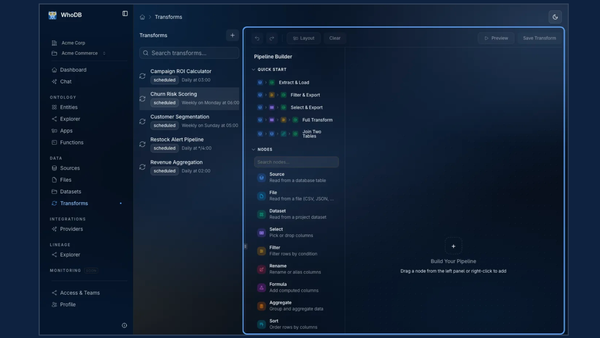
WhoDB provides a single workspace where engineering, operations, analytics, and security teams can connect to and explore all of their databases. Whether the data lives in PostgreSQL, MySQL, MongoDB, Redis, Elasticsearch, Snowflake, ClickHouse, or dozens of other supported databases, the experience stays consistent.
Instead of switching tools throughout the day, teams work from one interface. WhoDB combines database exploration, query editing, AI assistance, security controls, and collaboration into a single platform.
What Teams Can Actually Do with WhoDB
Connect Every Database in One Place
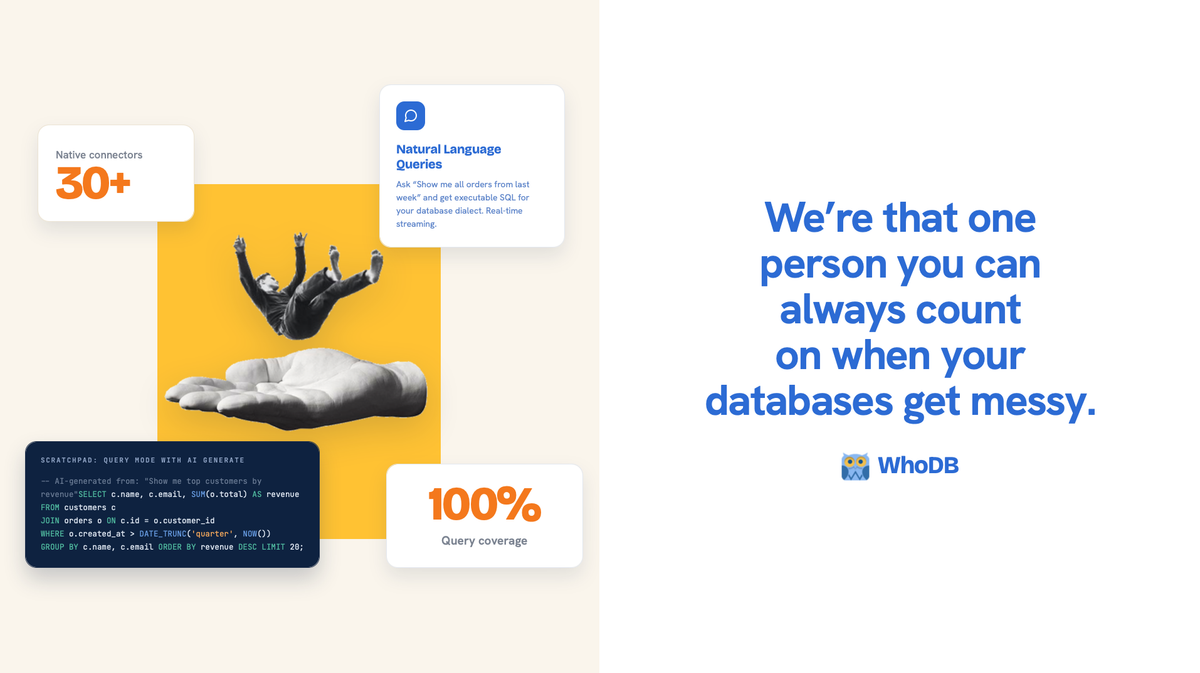
WhoDB supports more than 30 native database connectors and extends to over 100 databases through its Universal Bridge.
Whether your infrastructure includes relational databases, NoSQL systems, search engines, analytics platforms, or cloud data warehouses, everything can be managed from the same interface.
Explore Data Without Guesswork
Instead of manually searching through schemas and tables, teams can browse databases visually.
WhoDB lets users:
- Navigate schemas, tables, collections, and stored procedures.
- Follow foreign key relationships between records.
- Search across connected databases.
- View indexes, constraints, and table statistics.
- Generate realistic test data for development.
Understanding how data is connected becomes much faster because relationships are visible instead of hidden inside queries.
Write Queries Faster
WhoDB includes a notebook-style SQL editor built for everyday work.
Teams can organize queries into tabs, review execution history, rerun previous queries, analyze execution plans, and safely execute updates with confirmation prompts before destructive operations.
Instead of maintaining dozens of SQL files across different tools, everything stays organized in one workspace.
Ask Questions in Plain English
Not everyone is comfortable writing SQL.
WhoDB lets users ask questions in natural language and automatically generates executable queries for the connected database.
It can also create charts, summarize results, understand existing schemas, and remember previous conversations, making it easier for both technical and non-technical users to explore data.
Give Every Team the Right Level of Access
As organizations grow, database access becomes harder to manage.
WhoDB includes enterprise authentication through SSO, role-based access control, project-level permissions, and support for providers such as Okta, Azure Active Directory, Google Workspace, and Auth0.
Instead of sharing credentials or manually managing permissions across multiple tools, organizations can control access from one platform.
Keep Every Action Auditable
Knowing who changed data is just as important as changing it.
WhoDB records SQL queries, schema updates, AI interactions, login events, and permission changes in a complete audit trail. Teams can search audit logs, export them to existing monitoring platforms, and maintain compliance requirements without additional tooling.
The Business Impact
A unified database workspace does more than bring multiple databases into one place. It helps every team work faster, collaborate better, and make informed decisions without constantly switching between tools.
With a unified database workspace, teams can:
- Investigate incidents faster by accessing all their databases from one interface.
- Reduce context switching by eliminating the need to jump between multiple database tools.
- Help business teams self-serve by enabling analysts to answer questions without waiting on engineering.
- Give DBAs better visibility into performance, indexes, and schema changes.
- Strengthen security and compliance with complete audit trails and fine-grained access controls.
- Improve collaboration by giving engineering, analytics, operations, and security teams a shared view of their data.
Most importantly, it creates one consistent way for an organization to work with its data, regardless of where that data lives.
Modern companies aren't managing fewer databases. They're managing more of them every year. The tools used to explore those databases should make that complexity easier to handle, not add to it.
That's exactly what WhoDB is built to do.