What Is WhoDB? A Simple Guide to Connected Data
A simple guide to the connected data platform that links your sources, traces lineage and builds workflows. Open source.

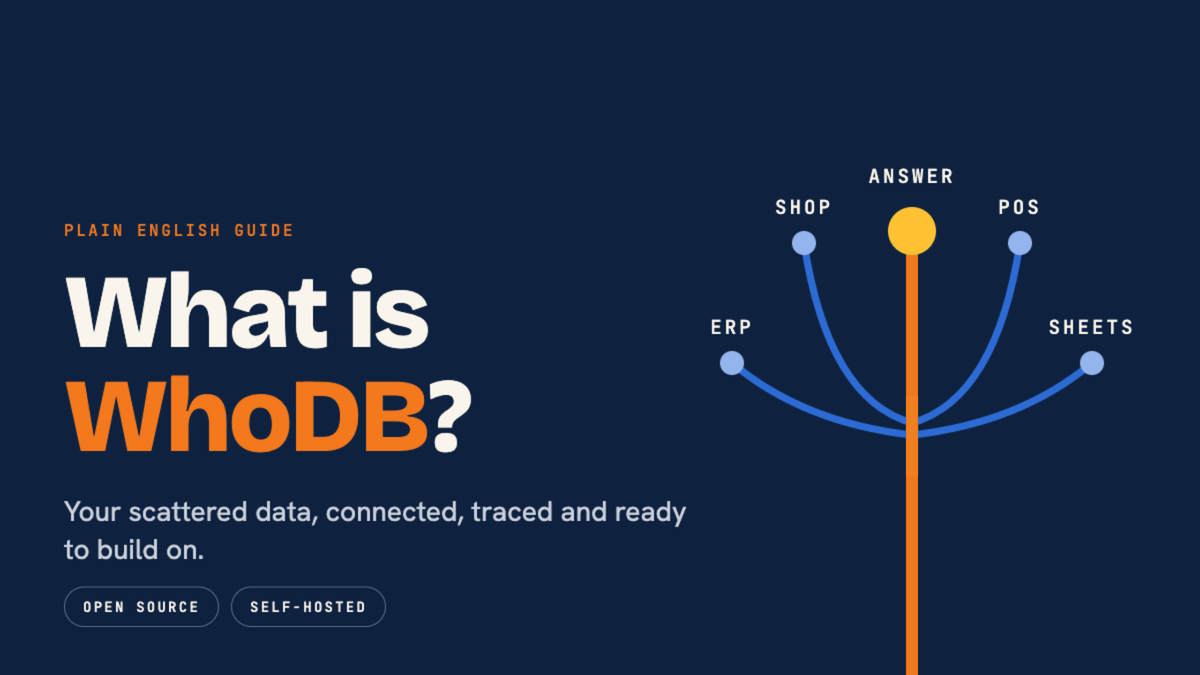
Ever asked where a number in a report came from and got three different answers from three different teams? That's the problem WhoDB was built for.
So, what is WhoDB? It's a connected data platform from Clidey. It brings your databases, warehouses, and files into one project, shows how they relate, and lets your team build workflows on top of them.
This guide explains it in plain English, with a few technical terms where they help.
Quick answer: WhoDB is a data platform that connects your data sources, maps how they relate, and shows what depends on what. Teams use it to trace any number back to its source and to build repeatable workflows. It's open source and built by Clidey (Y Combinator S25).
What is WhoDB, in plain words?
Most companies keep data in many places. Some sit in databases, some in warehouses, some in spreadsheets and files. Each one holds a piece of the story.
WhoDB connects those pieces and keeps track of where each one came from. Think of it as the layer that lets your data make sense together, so people can act on it with confidence.
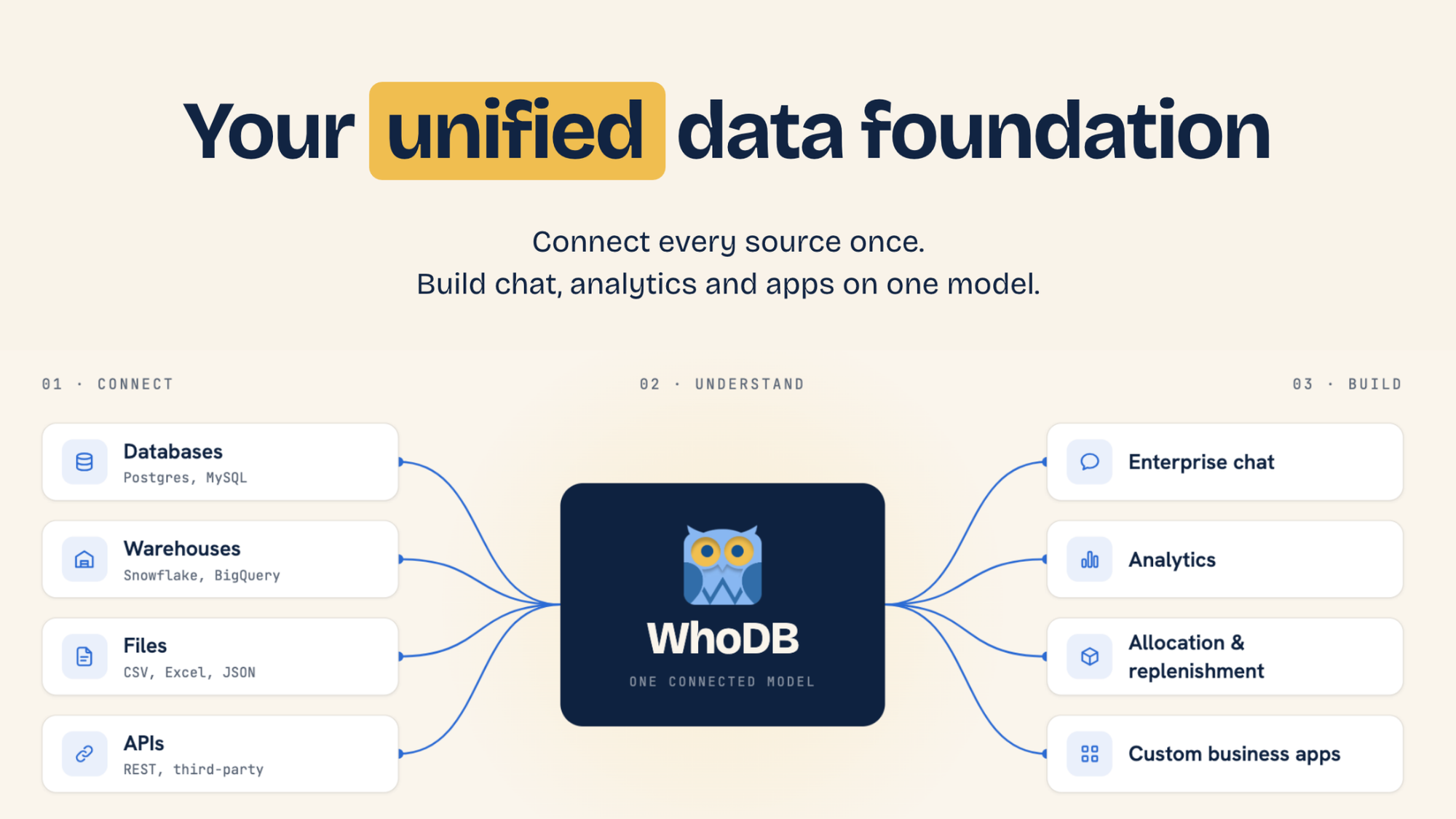
The problem: your data exists, but joining it takes time
Picture a retailer with 100 stores, an online shop and one central warehouse. The stock records live in the ERP. Online orders live in the e-commerce platform. Store sales live in the POS. The planning rules live in a spreadsheet.
Now the merchandising head asks: which stores need more of a bestseller, and which have extra?
To answer that, someone has to:
- Export reports from each system
- Match product codes by hand
- Apply store and size rules
- Decide what to move, and hope nothing was missed
The software works fine on its own. The slow part is bringing the pieces together and trusting the result.
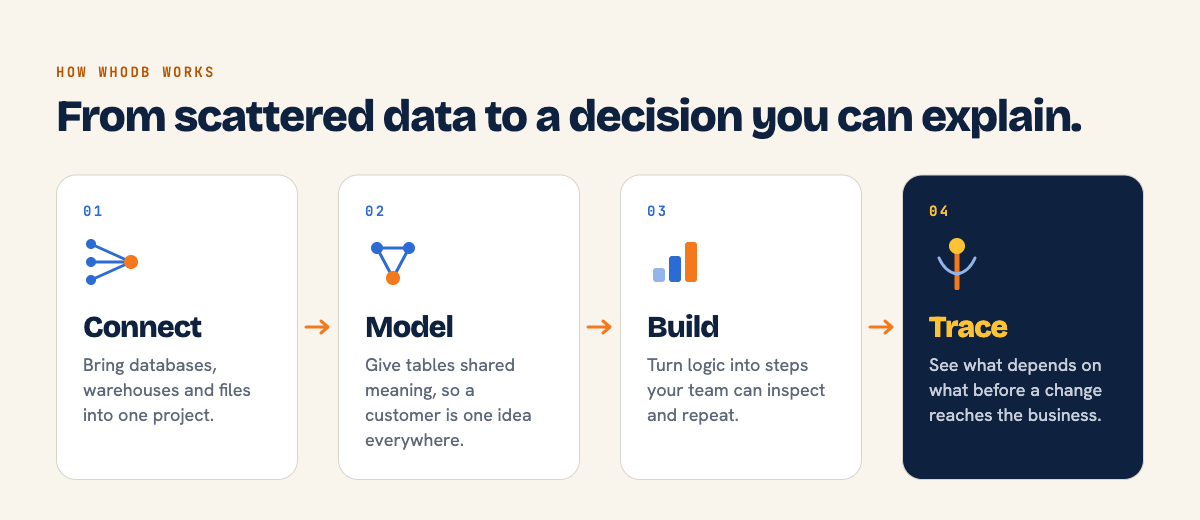
How WhoDB works in four steps
WhoDB follows a simple path from raw data to a decision you can explain.
- Connect- Bring databases, warehouses and files into one project. Each source keeps its origin visible.
- Model- Give tables meaning with shared entities and relationships. A "Customer" in one system and a "Customer" in another become the same idea.
- Build- Turn transformations into steps your team can inspect and repeat, from input to logic to output.
- Trace the impact- Follow dependencies before a change reaches the business.
What is data lineage?
Data lineage is a family tree for your data. It shows where a number started, what changed it along the way, and what depends on it now. You can read more in this overview of data lineage.
Here's a simple case from the WhoDB demo. A Sales Order record is connected to the Clidey Sales app that uses it. Before anyone edits that record, they can see the app that relies on it.
That means fewer surprises, and faster answers when something does break. You can see this in the platform overview.
Where WhoDB fits with the tools you already use
You don't need to replace your ERP, e-commerce platform or POS to use WhoDB. It sits between those systems and the apps you want to build.
The same connected data can then support more than one use: analytics, a planning tool, a chat experience or a custom business app. Each new use case doesn't have to start with a fresh integration project.
What does this look like in real work?
Two published stories show the idea in practice. Customer details are anonymised.
A premium retail team used WhoDB to turn manual inventory planning into a guided process. Preparing an allocation plan went from 3 to 4 hours down to 10 to 15 minutes. The team starts with recommendations based on its own rules, then reviews and approves the result. Read the inventory planning workflow.
An industrial fabricator replaced a fragile pricing spreadsheet with a testable function and connected quote records. The new engine is checked against 45 reference calculations. Read the pricing engine workflow.
These are results from specific teams. Your numbers will depend on your data and your process.
Who uses WhoDB?
WhoDB is built for the people responsible for data and the work around it:
- Data and platform teams, who debug failing pipelines and trace schema dependencies
- Data leaders, who need clearer evidence behind the numbers they report
- Governance and compliance teams, who answer audit and data origin questions
- Data operations teams, who catch workflow problems early
Open source, with control over where it runs
WhoDB is built in the open, and the code is on GitHub. You can use it as WhoDB Cloud or as a Managed Private deployment, depending on how much control your team needs.
If you're weighing options, the comparison pages cover how WhoDB differs from tools like Palantir Foundry, Microsoft Fabric, and Databricks. For deployment and data handling, see the security page.
Questions people ask about WhoDB
What is WhoDB used for?
WhoDB is used to connect data sources, model how they relate, trace lineage, and build repeatable workflows and apps on that connected data.
Is WhoDB open source?
Yes. The project is public on GitHub, and Clidey also offers WhoDB Cloud and Managed Private deployments.
Does WhoDB replace my existing systems?
No. It connects to the systems you already run, so teams can build on top of them.
What is data lineage in WhoDB?
It's a visual map of where data came from and what depends on it, so you can check the impact of a change before you make it.
Try WhoDB on your own data
If you'd like to see how it fits your setup, start free or talk to the team. The documentation is a good place to begin.